

Information Required to Register a Provider
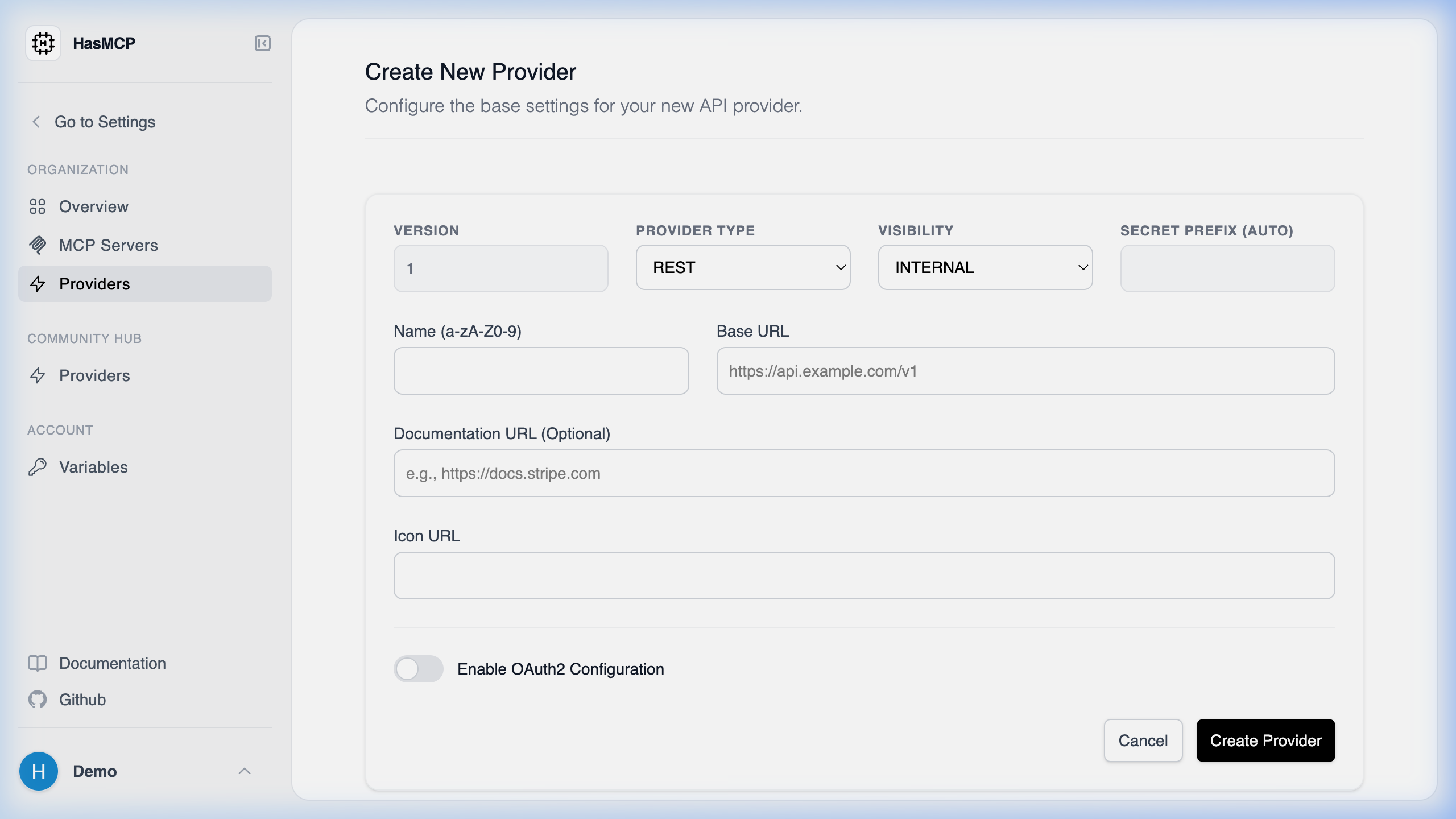
Using HasMCP UI
Using REST API
Registering a new API provider in HasMCP via thePOST /providers endpoint requires a JSON object conforming to the ProviderCreate schema.
Core Provider Fields
To ensure HasMCP accurately routes, displays, and connects your API to an MCP Server, the following primary information should be configured in yourprovider object payload:
Essential Information
name(string): A legible name identifying your external service (e.g., “GitHub v3” or “Internal Slack”).baseURL(uri string): The fully qualified root path of your REST API where HasMCP will target underlying tool endpoints.apiType(string): Denotes the schema of your external API. Currently, you should specify"REST".visibilityType(string): Defines your tenant-level architecture separation, generally accepting"INTERNAL"or"PUBLIC".
Optional but Recommended Information
description(string): Detailed documentation outlining the scope of operations this provider allows.documentURL(uri string): A link out to the external API’s official documentation landing page.iconURL(uri string): A direct link to an SVG or PNG icon representing the provider in the dashboard UI.oauth2Config(object): If the API uses OAuth2 for native elicitation auth, you provide theclientID,clientSecret,authURL, andtokenURLparameters here.