

Creating a New Provider
Using HasMCP UI
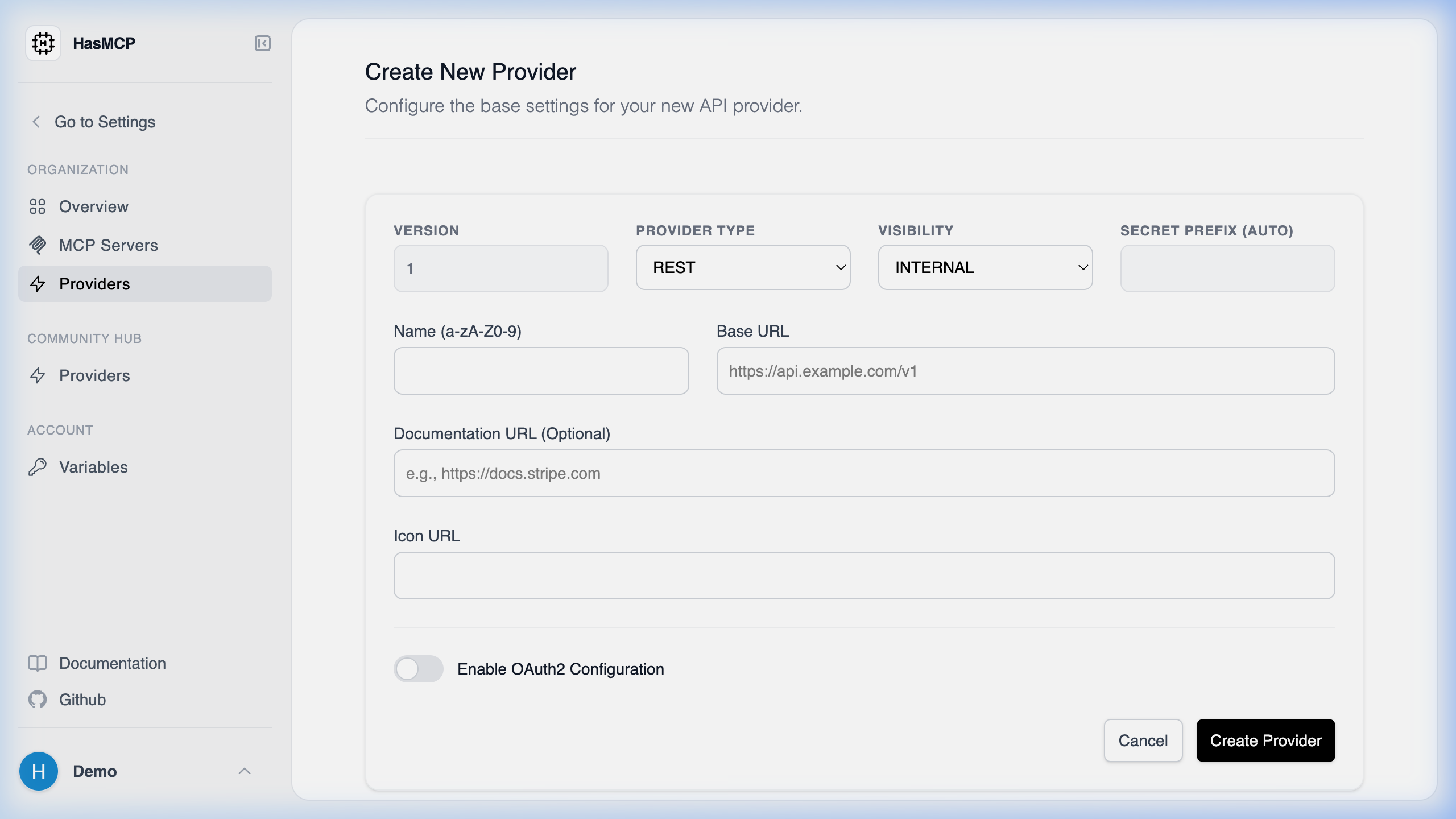
- Navigate to Providers from the left-hand menu.
- Click the Add Provider button.
- Fill out the form fields, entering the API’s name, its Base URL, and specifying the visibility type.
- Save the configuration to register the API provider in your catalog.
Using REST API
In HasMCP, a Provider represents an external API or service that you want to connect to. Generating a provider programmatically is the first step in making background API tools available to your MCP servers.Provider Creation Route
You create a provider by sending an authenticatedPOST request to the /providers endpoint.
POST /providers
Building the Request Payload
To register a provider, construct a JSON payload based on theCreateProviderRequest schema. This requires a nested provider object containing details about the remote API.
Mandatory and Common Fields
name(string): A short, recognizable API identifier.baseURL(string, uri): The root URL of the API you are consuming.apiType(string): The architecture of the API (currently"REST").visibilityType(string): Set to"INTERNAL"or"PUBLIC".description(string): A helpful summary of what the provider does.
Example cURL Request
201 Created status with the newly generated Provider object, which includes a unique 11-character id. You will use this ID to attach tools and bind the provider to your MCP servers.