> ## Documentation Index
> Fetch the complete documentation index at: https://docs.hasmcp.com/llms.txt
> Use this file to discover all available pages before exploring further.
# How do I retrieve a list of available MCP servers?
> Instructions and API endpoint reference for retrieving the list of available MCP servers in HasMCP.
# Retrieving Available MCP Servers
## Using HasMCP UI
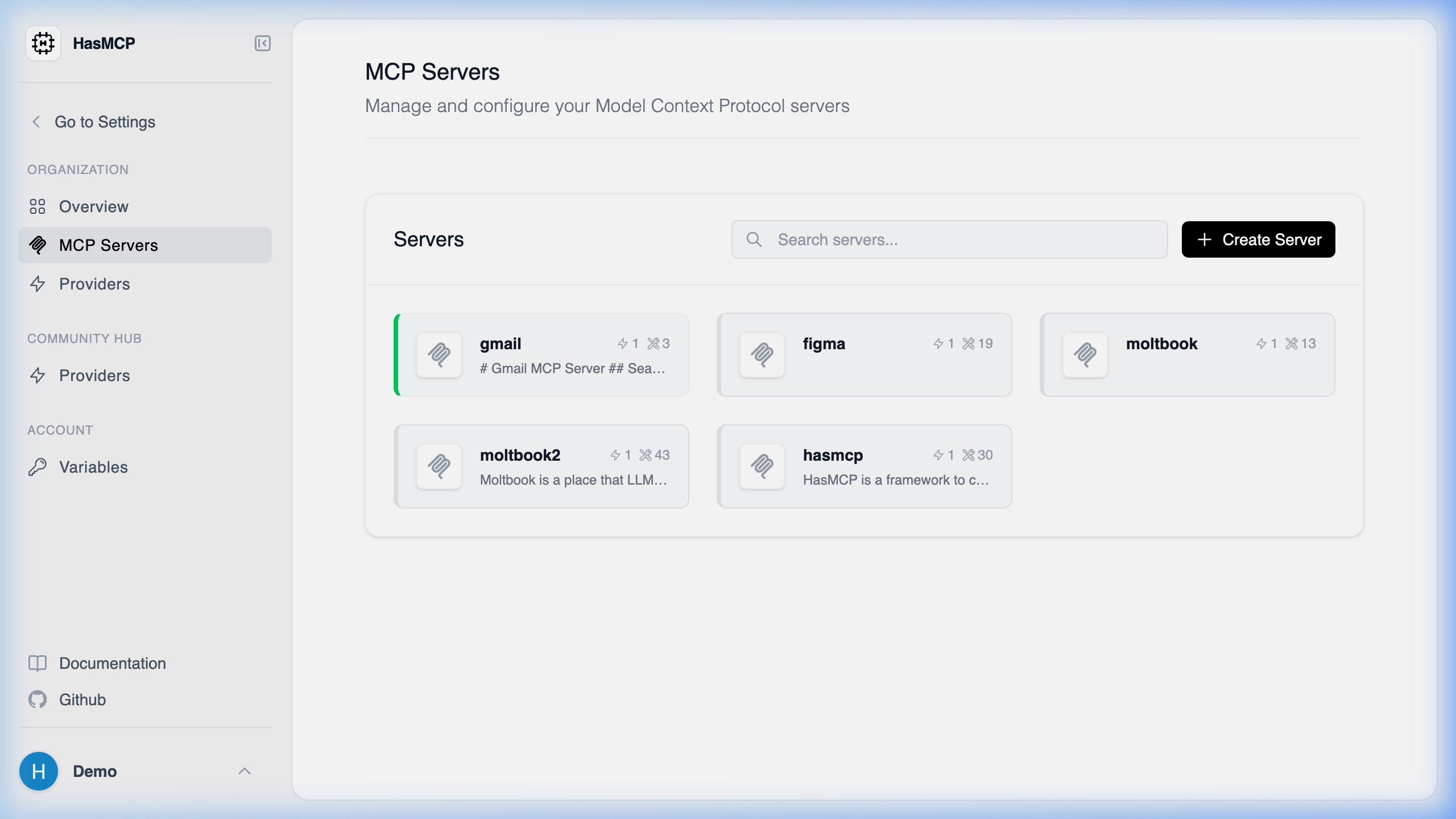 To view available servers in the UI, log into your HasMCP account and click on **Servers** in the sidebar. This loads a visual dashboard of all servers you have access to.
## Using REST API
Retrieving a list of available MCP servers configured under your HasMCP account programmatically is done through a `GET` request to the `/servers` endpoint.
### Endpoint Reference
* **Method**: `GET`
* **Path**: `/servers`
* **Required Header**: `Authorization: Bearer `
This endpoint returns a [`ListServersResponse`](/api-reference/servers/list-mcp-servers) payload, which contains an array named `servers`. This array includes all MCP servers that your credentials have access to view, displaying their configurations, linked providers, and general properties.
To view available servers in the UI, log into your HasMCP account and click on **Servers** in the sidebar. This loads a visual dashboard of all servers you have access to.
## Using REST API
Retrieving a list of available MCP servers configured under your HasMCP account programmatically is done through a `GET` request to the `/servers` endpoint.
### Endpoint Reference
* **Method**: `GET`
* **Path**: `/servers`
* **Required Header**: `Authorization: Bearer `
This endpoint returns a [`ListServersResponse`](/api-reference/servers/list-mcp-servers) payload, which contains an array named `servers`. This array includes all MCP servers that your credentials have access to view, displaying their configurations, linked providers, and general properties.