> ## Documentation Index
> Fetch the complete documentation index at: https://docs.hasmcp.com/llms.txt
> Use this file to discover all available pages before exploring further.
# What is the endpoint for creating an MCP server?
> Reference documentation for the HasMCP API endpoint used to create a new MCP server.
# MCP Server Creation Endpoint
## Using HasMCP UI
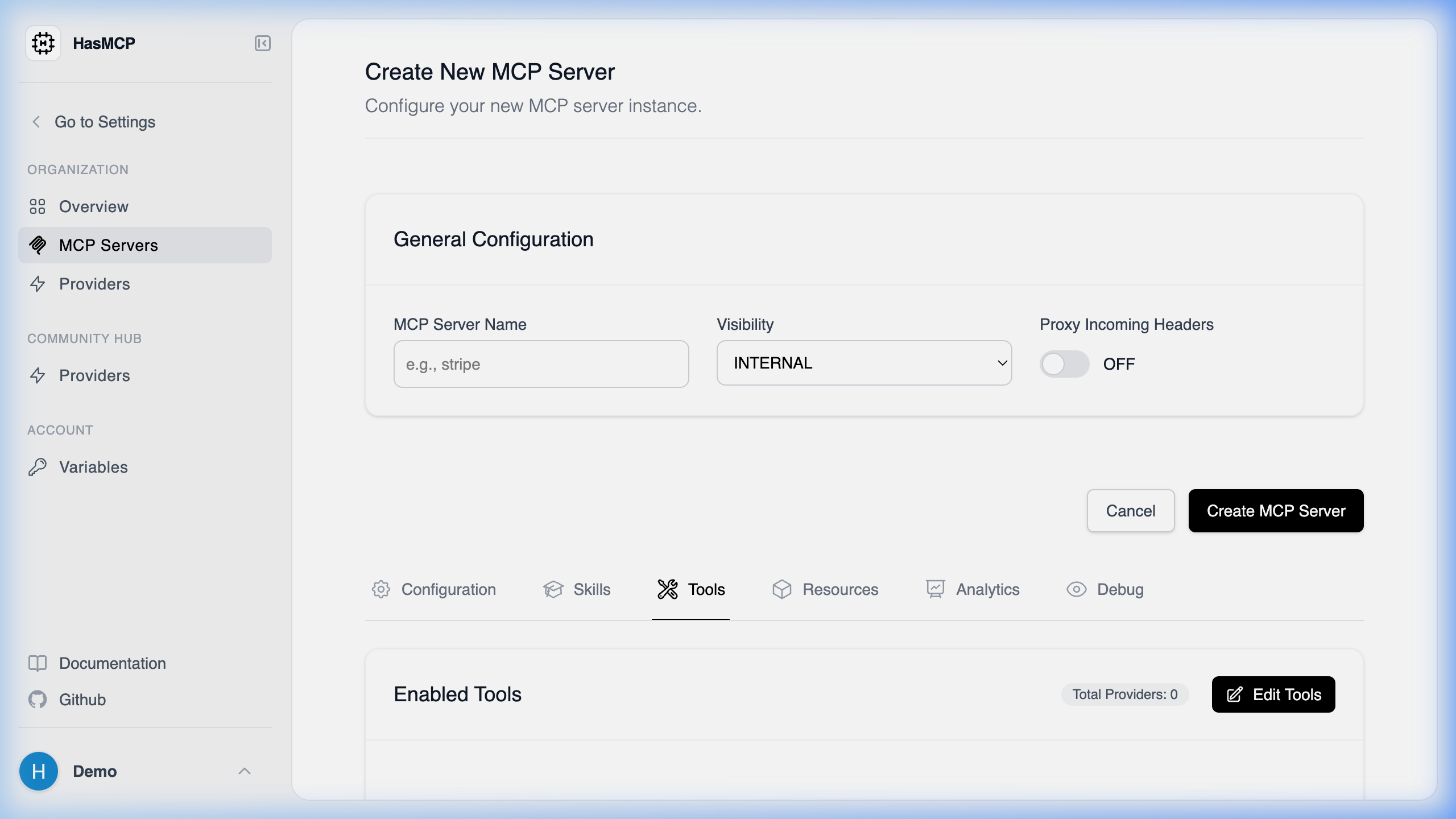 Creating an MCP server through the UI handles the endpoint communication for you. Simply navigate to the **Servers** page, click **Create Server**, and submit the form.
## Using REST API
The specific API endpoint of the HasMCP Manager used for creating a new MCP server is:
**`POST /servers`**
### Endpoint Details
* **HTTP Method**: `POST`
* **Path**: `/servers`
* **Authentication**: Requires a Bearer token in the `Authorization` header (`Bearer `).
* **Content-Type**: `application/json`
When you send a valid [`CreateServerRequest`](/api-reference/servers/create-mcp-server) payload to this endpoint, the HasMCP Manager will provision your new server and return a `201 Created` response with the server's generated ID and complete configuration.
Creating an MCP server through the UI handles the endpoint communication for you. Simply navigate to the **Servers** page, click **Create Server**, and submit the form.
## Using REST API
The specific API endpoint of the HasMCP Manager used for creating a new MCP server is:
**`POST /servers`**
### Endpoint Details
* **HTTP Method**: `POST`
* **Path**: `/servers`
* **Authentication**: Requires a Bearer token in the `Authorization` header (`Bearer `).
* **Content-Type**: `application/json`
When you send a valid [`CreateServerRequest`](/api-reference/servers/create-mcp-server) payload to this endpoint, the HasMCP Manager will provision your new server and return a `201 Created` response with the server's generated ID and complete configuration.